1. 从网卡侧down port:
看当前网卡是单口还是双口:
ls /sys/class/infiniband/mlx5_*/ports/扫一下当前网卡设备信息:
ibstat
ip link
down和up某个网卡的口:
# down ip link
ip link set eth0 down
ip link set eth0 up
# down Mellanox
ibportstate mlx5_0 1 down
ibportstate mlx5_0 1 up
# down IB
ifconfig ib0 down
ifconfig ib0 up
# use mst
mst start
mst status
readlink /sys/class/infiniband/mlx5_0/device
ibportstate /dev/mst/mt4129_pciconf0 1 down
ibportstate /dev/mst/mt4129_pciconf0 1 enabl
# 扫一下mst的设备对应那个mlx
for d in /sys/class/infiniband/mlx5_*; do
    echo "$d -> $(readlink $d/device)";
done

# check success / fault
ip link show eth0
2. 从交换机down
2.1 Infiniband
以down 10.200.88.173 上的mlx5_gdr_0为例 在服务器上
iblinkinfo | grep "10-200-88-173" 或
iblinkinfo | grep "node073"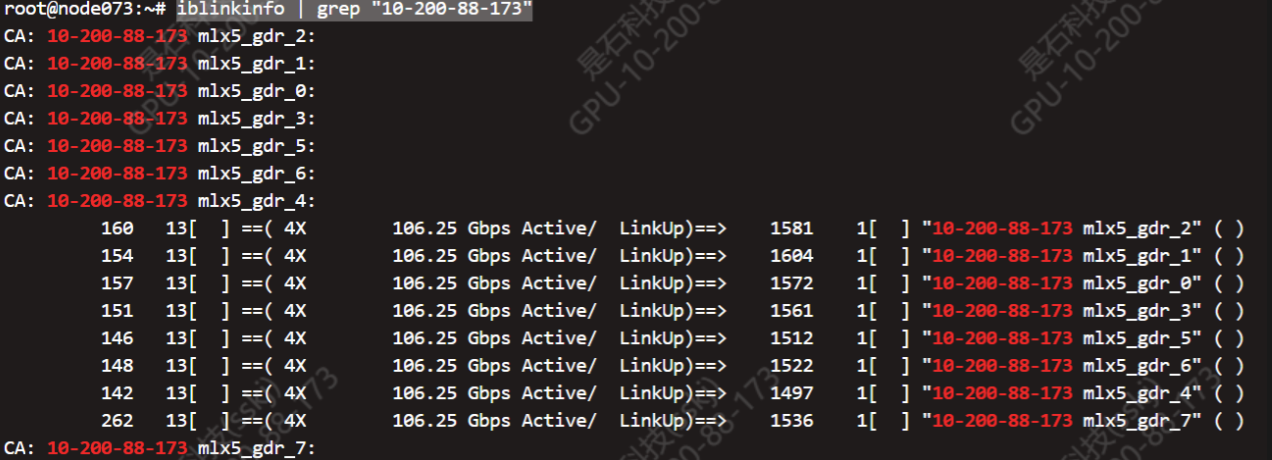
ibportstate -C mlx5_gdr_1 -P 1 157 13 disable
ibportstate -C mlx5_gdr_1 -P 1 157 13 enable
需要注意的是,在up端口时,指定的网卡需要是非与该端口相连的网卡,否则会由于找不到服务器端口而无法up,例如上面命令为down掉mlx5_gdr_0直接相连的交换机端口,但命令指定了mlx5_gdr_1(制定mlx5_gdr_2…7均可)
2.2 Roce
D1 & D2
首先登陆交换机,不同机子登陆方式不同
ssh -o HostKeyAlgorithms=+ssh-rsa admin@172.171.2.201
enable
随后查看端口情况
show lldp neighbors
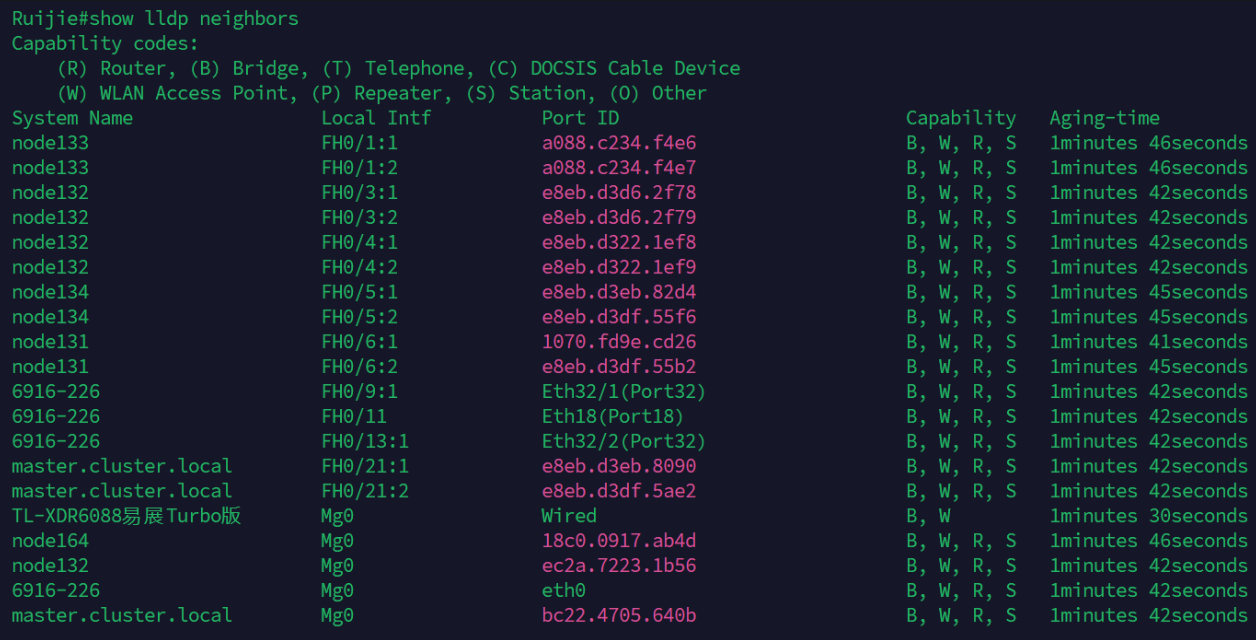 随后执行
随后执行
configure
interface Fh0/6:1
shutdown // down port
no shutdown    // up port
北坡
从网页版进入交换机,执行命令
Show lldp table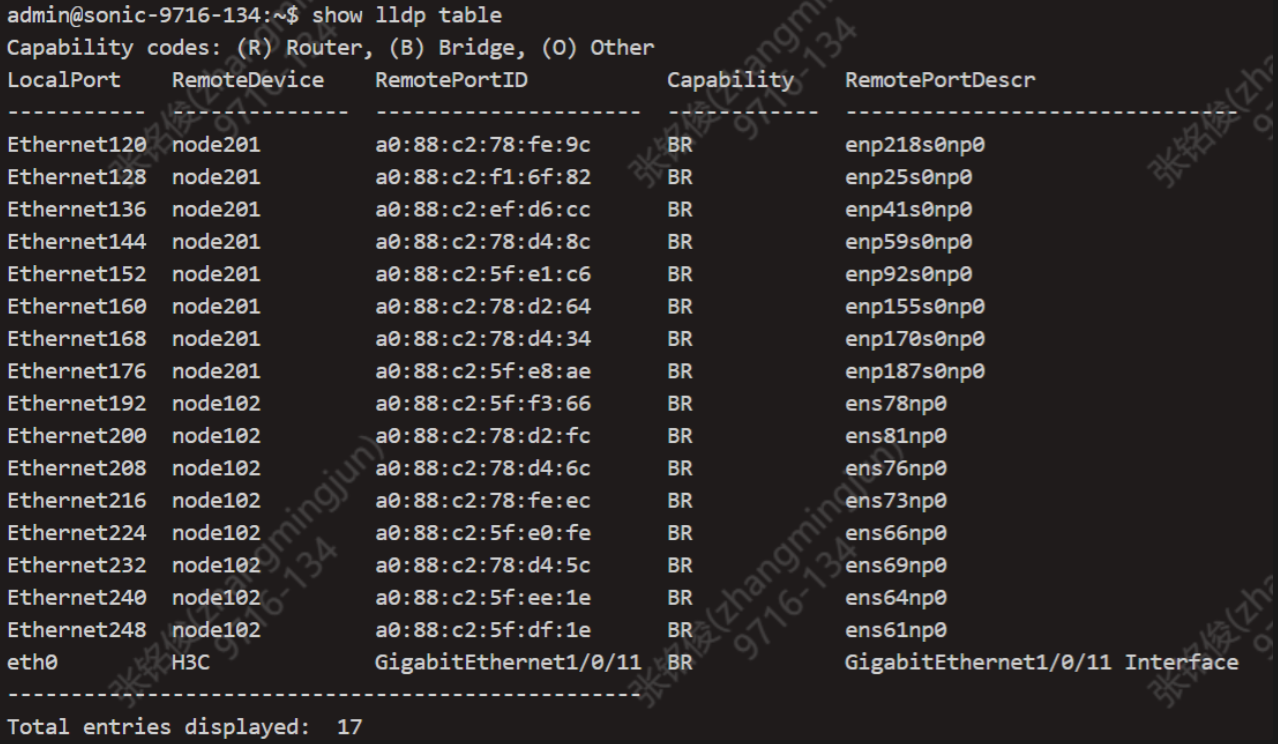 找到对应想要down或up的port,执行命令
sudo config interface shutdown Ethernet248
sudo config interface startup Ethernet248